
BoardEffect Update to the Diligent One Platform
On this page
Introduction
Diligent is proud to support more than 14,000 mission-driven organizations globally, including those that rely on our BoardEffect board management software to strengthen governance and drive better outcomes for their communities.
Your dedication to driving positive change inspires us, and we are proud to provide the tools that help you lead with confidence.
To further this mission and better support your organization, we are introducing an exciting update offering a range of enhancements, including an updated BoardEffect homepage and integration with the Diligent One Platform.
The Diligent One Platform provides a consolidated view of governance, risk and compliance, helping boards and leaders stay ahead of regulatory changes, manage complex risks and maintain a strategic, organization-wide perspective.
This update is designed to enhance security, provide a more modern experience, and deliver ongoing innovation for your organization:
Enhanced security – By integrating BoardEffect to the Diligent One Platform, your organization benefits from Diligent’s modern security foundation and authentication options, including support for single sign-on (SSO) and multi-factor authentication (MFA). This helps protect sensitive information while giving your board and administrators added peace of mind.
Modern experience – The modern BoardEffect homepage provides a cleaner, more intuitive experience. It’s easier for board members and administrators to find what they need, stay organized, and manage meetings and materials from a consistent, modern interface.
Ongoing innovation – Bringing BoardEffect onto this platform will allow us to continue delivering new enhancements over time, such as AI-powered automation to simplify meeting preparation and minutes, integrated educational content, expanded third-party integrations and the ability to access other Diligent solutions from a single account for a unified view of governance, risk and compliance.
Thank you for your continued trust in BoardEffect - we are proud to support your mission and look forward to continuing to serve your board.
Important information
The Diligent One Platform update communications are sent to BoardEffect System Administrators only. We will not send emails to your Board Members or other end-users in advance of the update to the Diligent One Platform. Messages posted in BoardEffect sites may be visible to all users.
BoardEffect System Administrators will be notified, a minimum of six weeks in advance, of the date BoardEffect will be updated to the Diligent One Platform. Follow-up reminders will be sent at five weeks, four weeks, 2 weeks, 1 week, and 2 days prior to the update. All notifications will provide details about the update and links to resources, such as instructional documentation, email templates, and upcoming webinars.
Below is a summary of important information and reminders to Administrators of actions to be taken in preparation for the BoardEffect update to the Diligent One Platform.

How should I prepare?
Before the update to the Diligent One Platform
Review and audit your Directory and user profiles:
- Confirm every active user has the current, correct email address designated as their preferred contact.
- Audit your directory and deactivate any users who no longer require access to the BoardEffect application. Including duplicate email addresses.
- Run a Custom Directory Report to review and audit user information. Navigate to Site Settings>Report>Directory and select the following display fields: first name, last name, preferred email, login, last login.
- Run a Login Activity Report to help determine whether users still require access to your site. Navigate to Site Settings>Reports>Login Activity. Sort by number of logins, those with a 0 have never logged in. Sort by last login to find the last time a user has logged in.
Note: All users who are active in your Directory will receive Diligent One Platform activation emails when your BoardEffect site is updated.
Whitelist domain: To ensure users receive notifications and are able to access the Diligent One Platform after the update, whitelist the following domain: *.diligentoneplatform.com.
Remind users to keep the BoardEffect mobile app and operating system up to date: Review mobile device settings for all users. Navigate to Site Settings>Mobile Devices and review the current versions of the BoardEffect mobile app and device operating system currently set on users’ mobile devices.
Administrator early access
BoardEffect System Administrators will be given access to the Diligent One Platform approximately one month prior to the scheduled update. ONLY System Administrators will receive an activation email at this time. Workroom Administrators and End-Users will not receive this email until your BoardEffect site has been updated.

You will receive an activation email from notifications@diligentoneplatform.com
- Click the activation link; you will be prompted to create a new password to activate your Diligent One account. You will have up to 30 days to activate your account.
Note: During this period, you will have access only to the Diligent One Platform. Your BoardEffect site and users will not be visible or accessible until the update has been completed.
- Mobile users are required to remove existing connections to BoardEffect, and set up new connections using the updated BoardEffect site URL (such as https://companyname.boardeffect.diligentoneplatform.com)
- To remove existing connections on the mobile app, you can click the Edit icon in the top left corner. Then click the Delete icon next to the connection(s) you want to delete. Make sure to confirm your changes by clicking the Check icon in the top left corner.
Tips for admins:
- Share your new BoardEffect site URL with your users to enable direct access to BoardEffect
Single Sign-On (SSO) Sites Only – If you currently use SSO for your BoardEffect site, please see the section below to configure SSO in your Diligent One Platform during the early access period.
Multi-Factor Authentication MFA) Sites Only – If you currently use MFA for your BoardEffect site, please see the section below to configure MFA in your Diligent One Platform during the early access period.
Optional: Set up SSO/MFA
Setting Up Single Sign-On (SSO)
You will receive an e-mail to inform you which site you have been added to. It will include a link to login into your account.
Click to login to your accounts. Sign in using the same username and password you currently use for SSO.
Who can configure SSO?
- Only System Admins in the platform have permission to configure SSO settings.
Can I set up users to bypass SSO?
- Yes, you can set up users to bypass SSO if needed. System Administrators must add the non-SSO users to the SSO bypass list after the update is complete. Access Instructions for Adding Users to Allow List to Bypass SSO
Click here for detailed information on the SSO set up requirements.
Setting Up Multi-Factor Authentication (MFA)
You will receive an activation e-mail.
Complete the registration form to activate your account.
When the Diligent One Platform Multi-Factor Authentication has been enabled, all users (except SSO users) will be forced to setup MFA upon their first login and to authenticate on every logging thereafter. Note: There is no longer an option to enable Multi-Factor Authentication for Administrators only.
After the update to the Diligent One Platform, MFA codes can be obtained via soft token authenticator apps only (such as Microsoft Authenticator or Google Authenticator). MFA codes can no longer be obtained via email.
Click here for detailed information on the MFA set up requirements.

During the update to the Diligent One Platform
During the transition to the Diligent One Platform, BoardEffect sites will be unavailable for up to 24 hours, starting at 10:00pm EDT the evening prior to the update. Please advise Board Members or other users, who require access to meeting materials during this time, to take the steps below no later than 10:00pm EDT the night before the update.
- Web application - download a PDF copy of the appropriate Meeting Book(s)
- Mobile application - download the appropriate Meeting Book(s) to your device. Books should be accessible offline by putting your device into Airplane Mode
- As a backup, Administrators are advised to download PDF copies of all current Meeting Book(s) users may need to access during the down time, and be prepared to distribute them if necessary.
After the update to the Diligent One Platform
Following the update to the Diligent One Platform, the BoardEffect domain (portion of the URL address following your organization name) will change. Below is a list of the new domain, which is specific to your geographic region:
- US: boardeffect.diligentoneplatform.com
- Australia: boardeffect-au.diligentoneplatform.com
- Canada: boardeffect-ca.diligentoneplatform.com
- Europe: boardeffect-eu.diligentoneplatform.com
- UK: boardeffect-uk.diligentoneplatform.com
What will our users experience after the update?
All users who are active in your BoardEffect Directory at the time of the update will be migrated and will receive an activation email from the Diligent One Platform. The link in the activation email will direct users to enter and confirm a password for the Diligent One Platform. Note: The current BoardEffect password can be reused, as long as it has at least eight characters, at least one number and mixed case letters.
If users don't receive the activation email, system administrators can resend this by going to Site Settings> Manage Users> Click Manager Users at the top right and then click Send invitation or Resend invitation under the Status column next to the appropriate user.
How to login after the update
Users will have two options for accessing BoardEffect:
- Via Diligent One Platform URL – https://accounts.diligentoneplatform.com/ Click the BoardEffect tile on the Diligent One homepage
- This is best suited for system admins who manage permissions for an organization
- Directly via your BoardEffect site URL – https://companyname.boardeffect.diligentoneplatform.com/
- Allows users to go directly to the BoardEffect homepage without navigating through Diligent One Platform.
What are the new changes coming to BoardEffect?
BoardEffect continues to provide the board and governance management functionality you rely on. As part of the Diligent One Platform, BoardEffect also benefits from exciting enhancements including:
- Improved login process through the Website
- Login process through the Mobile App
- Updated homepage including quick access to books, enhanced book management, easier file attachments, and direct access to minutes
- User security improvements including Single Sign-on and Multi-factor authentication
- Ability to share direct notes with anyone who has access to the meeting book
A More Modern and Accessible Homepage Experience
We've refreshed the homepage to make it easier and more intuitive for you to navigate and manage your board materials. Here’s what’s new:
- Quick Access to Books – Open books in preview mode with just one click, making it faster to review important materials.
- Enhanced Book Management – A new Book Builder view for admins streamlines the process of organizing and managing board books.
- Easier File Attachments – The "Add Attachments" option is now conveniently located in the menu for quicker access.
- Direct Access to Minutes – If your subscription includes this feature, you can now navigate directly to meeting minutes from the left-hand menu for a more seamless experience.

A Streamlined and Secure Login Experience
We are updating the login process to make access to Boardeffect more seamless. Going forward, usernames will be replaced with email addresses as the login credential.
What’s Changing?
Users will now log in with their email address instead of a username.

Share Annotations with Users
What’s Changing?
Users will now be able to share direct notes with anyone who has access to the meeting book, making it easier to provide feedback, ask questions, and keep everyone informed.

Custom Email Sender Name & Email Address
What’s Changing?
Administrators have the ability to customize the sender name and email address used for notifications, allowing them to use their organization’s domain. This helps recipients easily identify and trust the source of the email. The custom sender address can also be set as the reply-to address, allowing recipients to respond directly to the organization rather than a generic system address. Learn more about setting up a customer email sender.


Resources
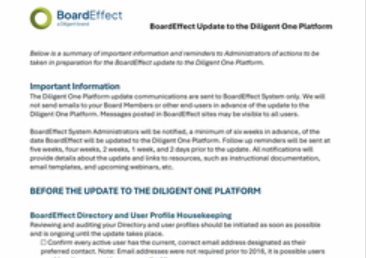
BoardEffect Board Admin Checklist
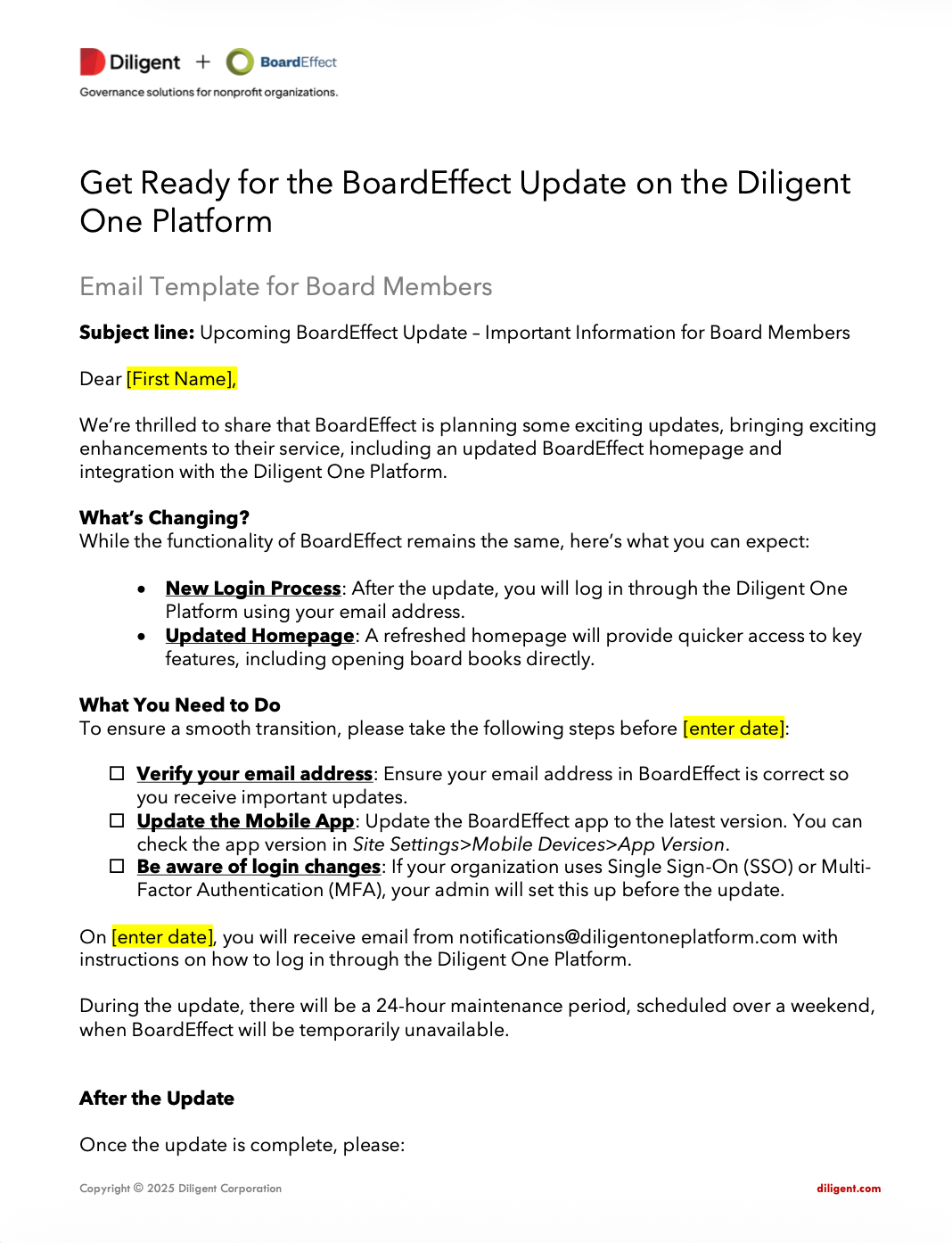
BoardEffect Email Template for Board Members
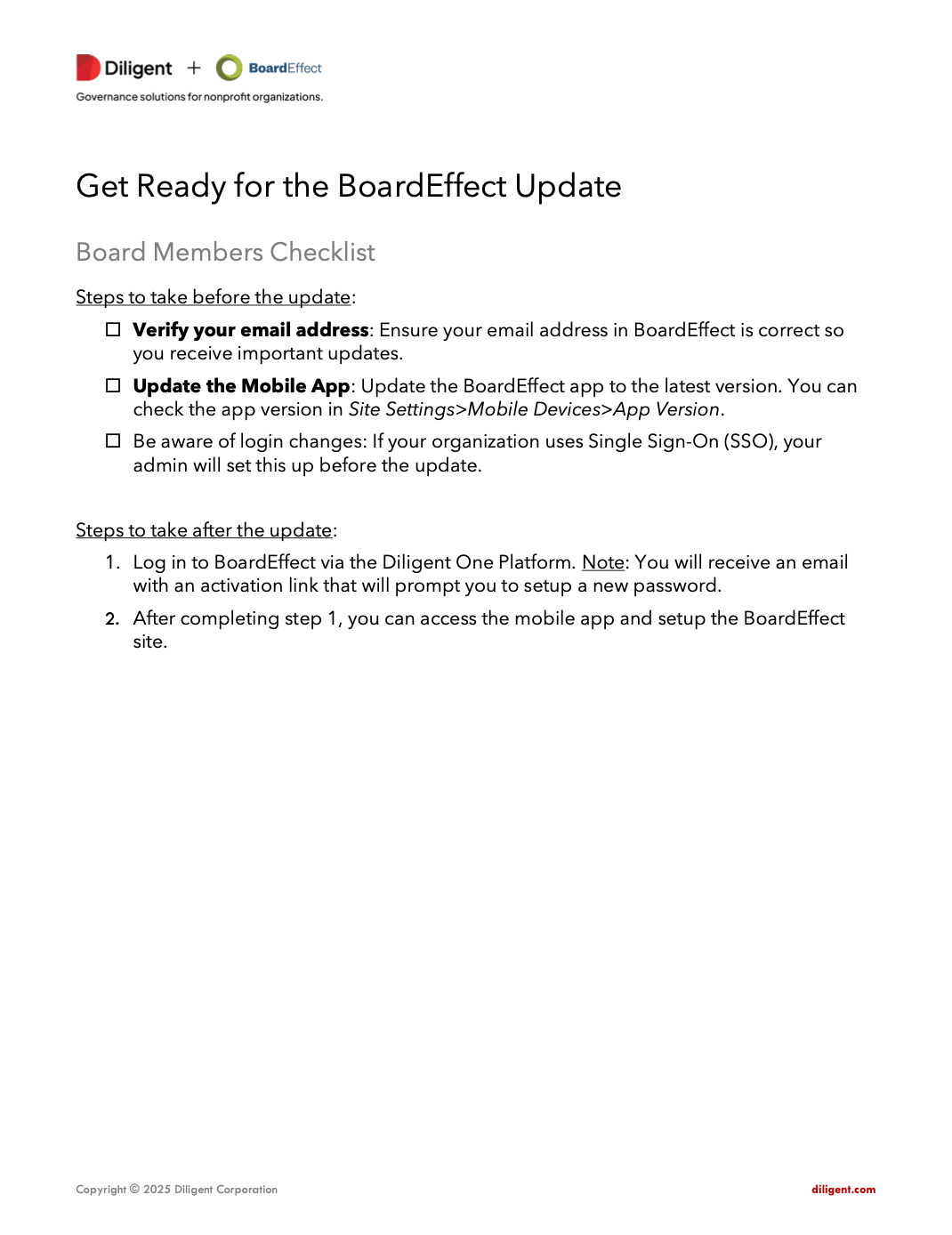
BoardEffect Board Members Checklist
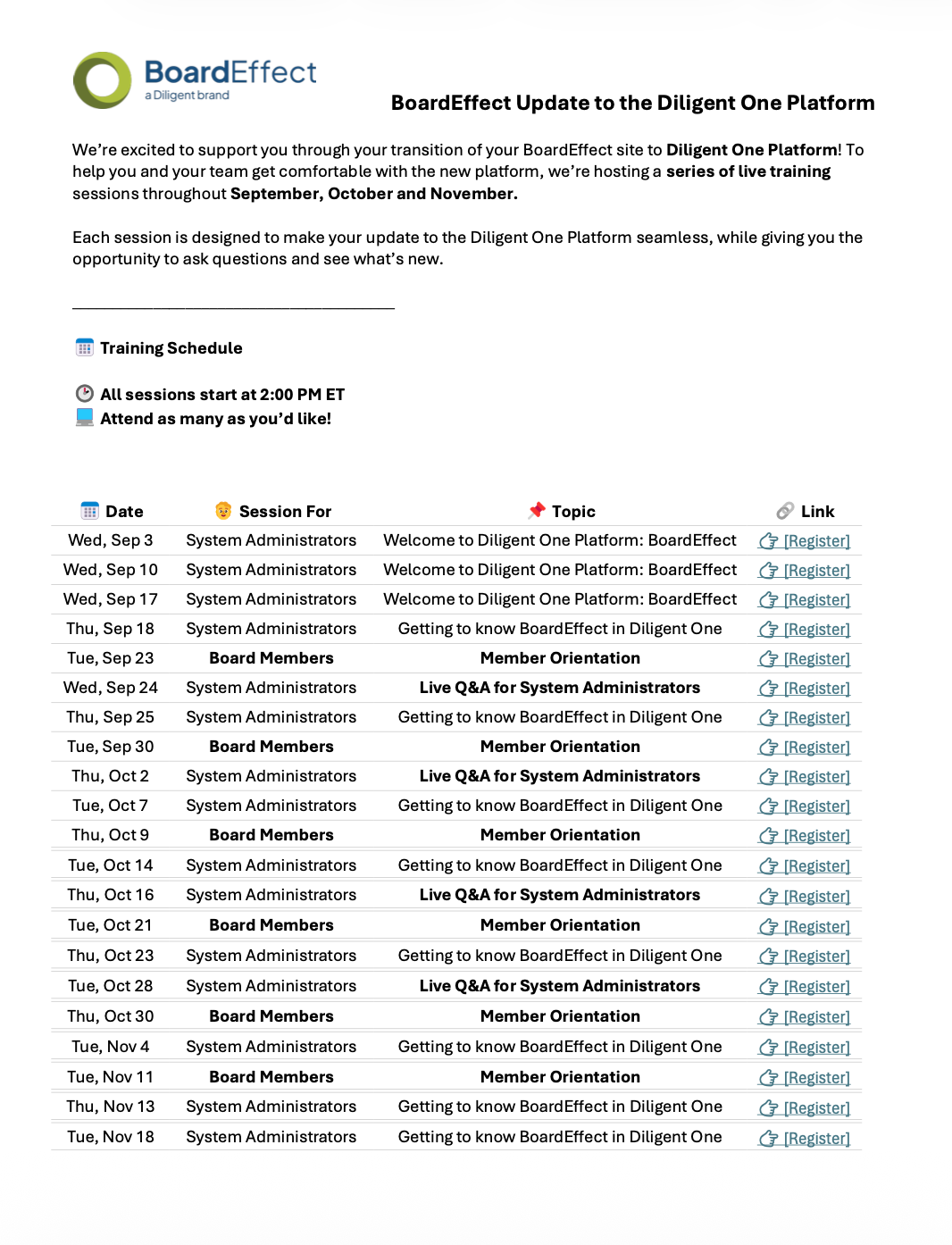
Webinar Training
Diligent One Platform Login Guide
Diligent One Platform Login Guide for SSO Users
Diligent One Platform Login Guide for MFA Users
UI Modernization Webinars
BoardEffect UI Modernization Board Member Email Template
BoardEffect Site re-direct Board Member Email Template
FAQs
The Diligent One Platform is a unified Governance, Risk, and Compliance platform providing leaders, boards, and administrators with a consolidated view of complex information, helping boards and leaders maintain a strategic view of their organization and exercise effective oversight
Attend a webinar
Still need help?
We understand that transitions like these can raise questions. If you have any inquiries or need assistance at any stage of the process, our Customer Support team is here to help. You can reach us at support@boardeffect.com.